Redirect Checker

Redirect Checker - Trace URL Redirects & HTTP Status Codes | StoreDropship

Redirect Checker

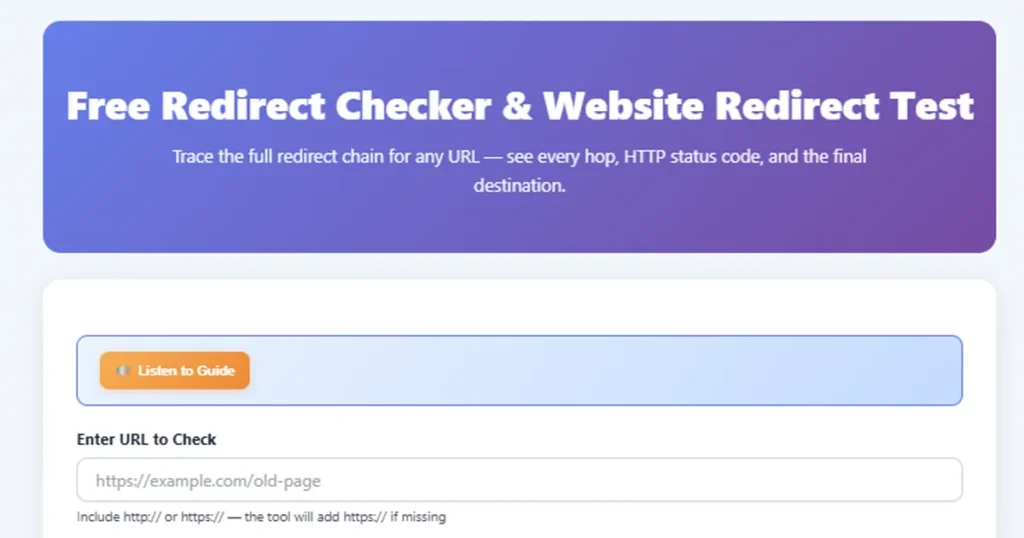
Trace the full redirect chain for any URL — see every hop, HTTP status code, and the final destination

Include http:// or https:// — the tool will add https:// if missing

⏳ Tracing redirect chain...

How to Use the Redirect Checker

  1. Type or paste the URL you want to check into the input field. Include http:// or https:// for best results.
  2. Click the Check Redirects button or press Enter to start tracing the redirect chain for the entered URL.
  3. The tool displays each hop in the redirect chain with the HTTP status code, URL, and redirect type.
  4. The last entry in the chain shows the final destination URL where the browser ultimately lands.
  5. Review status codes to identify unnecessary redirects, redirect loops, or incorrect redirect types that may hurt SEO.

Key Features

🔗

Full Chain Tracing

Follow every hop from the original URL to the final destination, revealing the complete redirect path.

📊

HTTP Status Codes

See exact status codes (301, 302, 307, 308, 200) for each step so you know the redirect type.

🔄

Loop Detection

Automatically detects circular redirect loops that would cause infinite browser redirects.

Fast Results

Get complete redirect chain analysis in seconds, no matter how many hops are involved.

🛡️

SEO Insights

Identify redirect issues that hurt search rankings — wrong types, unnecessary chains, and broken paths.

📱

Works on Any Device

Fully responsive design works on phones, tablets, and desktops with no app installation needed.

Understanding HTTP Redirect Status Codes

Every redirect response from a server includes an HTTP status code that tells browsers and search engines why the redirect is happening. Here's what each code means:

CodeNameTypeSEO Impact
301Moved PermanentlyPermanentPasses ~90-99% link equity to new URL
302FoundTemporaryOriginal URL stays indexed, limited equity transfer
307Temporary RedirectTemporaryLike 302 but preserves HTTP method (POST stays POST)
308Permanent RedirectPermanentLike 301 but preserves HTTP method
200OKNo redirectFinal destination — page loaded successfully

The critical distinction: 301 and 308 are permanent — search engines transfer ranking signals and eventually deindex the old URL. 302 and 307 are temporary — search engines keep the old URL indexed, assuming the redirect will be removed eventually.

Using a 302 when you mean 301 is one of the most common and damaging SEO mistakes. It splits your ranking authority between two URLs instead of consolidating it on one.

Practical Examples

🇮🇳 Ankit — Mumbai, India

Ankit migrated his e-commerce store from HTTP to HTTPS. After migration, his organic traffic dropped 40%. He ran the Redirect Checker and discovered his old HTTP URLs were 302-redirecting to HTTPS instead of 301-redirecting.

Result: After fixing to 301 redirects, Google consolidated the rankings within 3 weeks and traffic recovered.

🇮🇳 Priya — Bengaluru, India

Priya's blog was on a subdomain (blog.example.com) and she moved it to a subfolder (example.com/blog/). She used the Redirect Checker to verify that all 200+ old blog post URLs correctly 301-redirected to their new locations.

Result: Zero broken links and seamless SEO transition with no ranking drops.

🇺🇸 David — Chicago, USA

David noticed his site was slow to load. The Redirect Checker revealed a 4-hop chain: http://example.com → https://example.com → https://www.example.com → https://www.example.com/ — three unnecessary redirects before the page even loaded.

Result: Consolidated to a single redirect, cutting 600ms from page load time.

🇩🇪 Lisa — Berlin, Germany

Lisa was building backlinks but her affiliate partner's short URLs were redirecting through 5 different tracking domains before reaching her site. The Redirect Checker mapped the entire chain so she could request a cleaner redirect path.

Result: Reduced the chain to 2 hops, improving both user experience and link equity transfer.

What Is a URL Redirect?

A URL redirect is a server instruction that sends browsers and search engines from one URL to a different URL. When you type a URL or click a link, the server responds with a redirect status code and a new location. Your browser then automatically navigates to that new location — often so fast you don't even notice it happened.

Redirects are essential for website maintenance. When you change your domain name, restructure your site, merge duplicate pages, or switch from HTTP to HTTPS, redirects ensure that visitors and search engines find the right page instead of hitting a 404 error. They're the forwarding addresses of the internet.

However, redirects can also cause problems. Chains of multiple redirects slow down page loads. Wrong redirect types confuse search engines. And redirect loops crash browsers entirely. That's why checking your redirects regularly is a critical part of SEO and website maintenance.

URL Redirects in Multiple Languages

Hindi: यूआरएल रीडायरेक्ट जांच (URL Redirect Jaanch)
Tamil: URL திசைமாற்ற சோதனை (URL Thisaimaatra Sothanai)
Telugu: URL దారిమళ్ళింపు తనిఖీ (URL Daarimallimpu Tanikhi)
Bengali: URL রিডাইরেক্ট পরীক্ষক (URL Redirect Porikkhok)
Marathi: URL पुनर्निर्देशन तपासणी (URL Punarnirdeshan Tapasni)
Gujarati: URL રીડાયરેક્ટ તપાસ (URL Redirect Tapas)
Kannada: URL ಮರುನಿರ್ದೇಶನ ಪರಿಶೀಲನೆ (URL Marunirdeshana Parishilane)
Malayalam: URL റീഡയറക്ട് പരിശോധന (URL Redirect Parishodhana)
Spanish: Verificador de redireccionamiento
French: Vérificateur de redirection
German: Weiterleitungsprüfer
Japanese: リダイレクトチェッカー (Ridairekuto Chekkaa)
Arabic: فاحص إعادة التوجيه (Fahis Iadat al-Tawjih)
Portuguese: Verificador de redirecionamento
Korean: 리다이렉트 검사기 (Ridairektu Geomsagi)

Frequently Asked Questions

Is this tool free to use?
Yes, the Redirect Checker is completely free to use with no limits on checks, no sign-ups, and no hidden charges.
What is a 301 redirect?
A 301 redirect is a permanent redirect that tells search engines the original URL has moved permanently to a new location. It passes most of the SEO link equity to the new URL.
What is a 302 redirect?
A 302 redirect is a temporary redirect indicating the original URL is temporarily moved. Search engines typically keep the original URL indexed and do not transfer full link equity.
What is the difference between 307 and 308 redirects?
A 307 is a temporary redirect that preserves the HTTP method (POST stays POST). A 308 is the permanent equivalent — it permanently redirects while preserving the HTTP method. Both are stricter versions of 302 and 301 respectively.
Why are redirect chains bad for SEO?
Each redirect in a chain adds latency and can dilute link equity. Search engines may stop following chains after a certain number of hops (typically 5-10), meaning the final page may not receive full SEO value.
How many redirects are too many?
Ideally, you should have at most one redirect between any source and destination URL. Chains of 3 or more redirects are problematic and should be consolidated into a single redirect.
What does a 200 status code mean in the results?
A 200 status code means the URL loaded successfully without any redirect. This is the final destination in the chain — the page the user actually sees.
Can this tool detect redirect loops?
Yes. If a URL redirects back to itself or creates a circular chain, the tool will detect and report it rather than following the loop indefinitely.
Does this tool check meta refresh redirects?
This tool checks server-side HTTP redirects (301, 302, 307, 308). Meta refresh and JavaScript-based redirects happen at the page level and require a different type of analysis.
Why should I use 301 instead of 302 for permanent moves?
Using 301 tells search engines to transfer ranking signals to the new URL and deindex the old one. A 302 keeps the old URL indexed, which splits your SEO authority between two URLs — hurting both.

Recommended Hosting

Hostinger

If you are building a website for your tools, blog, or store, reliable hosting matters for speed and uptime. Hostinger is a popular option used worldwide.

Visit Hostinger →

Disclosure: This is a sponsored link.

Contact Us

Share This Tool

Found this tool useful? Share it with friends and colleagues.

💬
Scroll to Top